September 2, 2026
Introducing Lychee Studio: Build an Entire 3D World Around Your Idea
Releases
A complete 3D project takes more than a single model. It needs characters, props, environments, images and animation, all working together.
Available now, Lychee Studio is Lychee’s new AI-powered platform. On one connected canvas, you can start with a prompt, sketch, image or 3D model, then create matching assets, bring them to life and prepare them for integration. You set the creative direction. Lychee Studio brings every step together, so you can go from one idea to a complete world without juggling multiple tools.
See Lychee Studio in action
Follow the journey of one generated character as it evolves from a simple idea into a fully built 3D world. Splendiiiid!
Made for game creators who want to go further
The best game worlds feel connected. Every character, weapon, prop and location belongs to the same story.
Generate game-ready characters and props from a prompt. Extract individual props from a single reference image, then export them to GLB or FBX for your engine.
Lychee Studio helps you keep that consistency as one idea grows into a complete visual universe. Whether you are building independently or with a larger studio, you can explore faster and keep every decision visible in one shared space.
Characters. Generate your cast: Turn a description or reference image into consistent turnaround views, variations and a finished 3D model.
Props. Create matching assets: Develop clothing, weapons, and equipment from a character, then explore variations while preserving the same visual language.
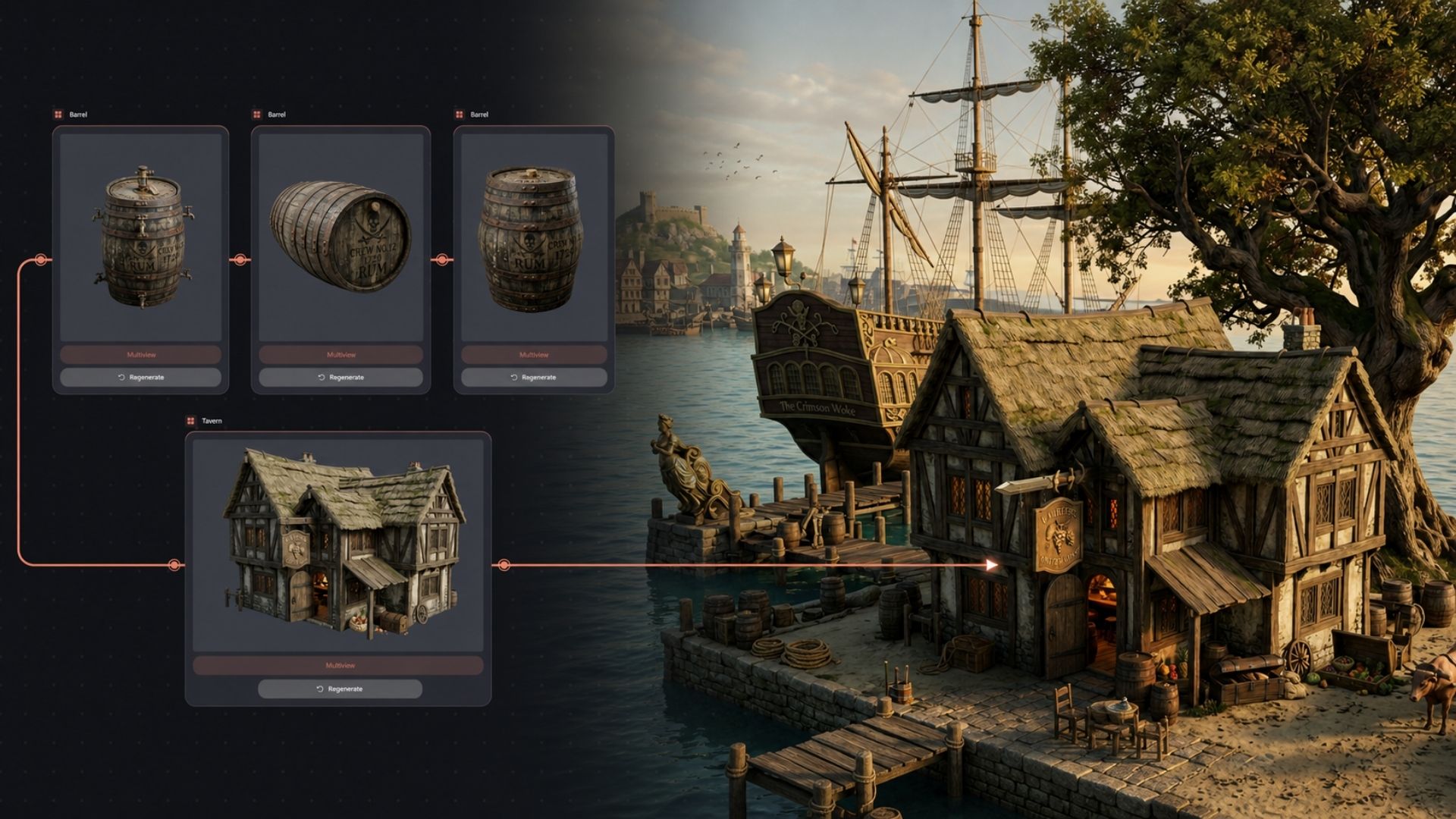
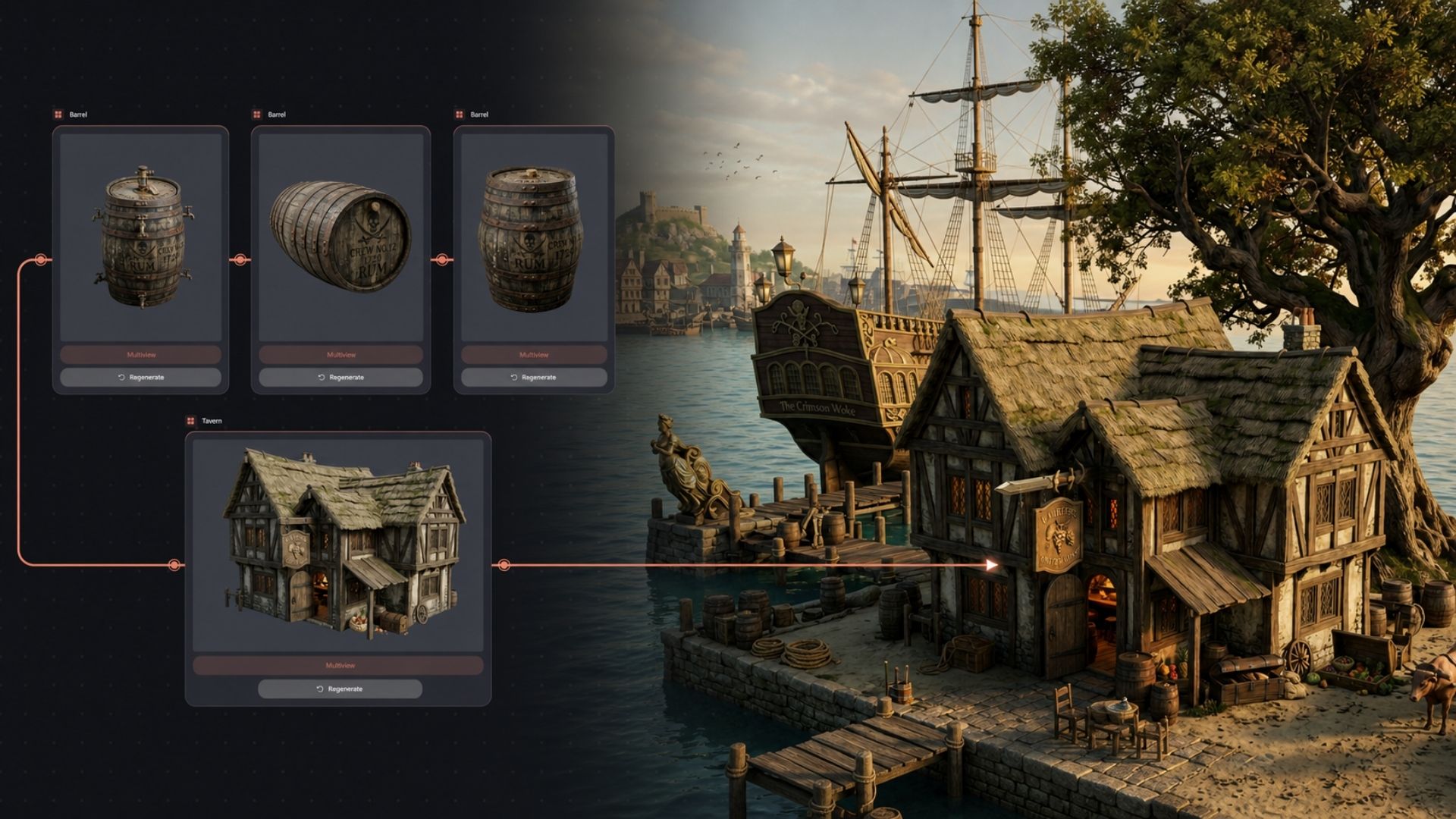
Environments. Build your world: Create vegetation, buildings and scene objects that feel like they belong to the same world.
Motions. Explore ideas in motion: Turn still images into short video concepts without leaving the project.
Every result remains connected on the canvas. Compare creative directions, build on what works and return to an earlier decision without starting over. As the project grows, its original identity stays visible.
How it works
You do not need a detailed plan or advanced technical skills to begin. Start with one idea and build from there. Every step stays simple and visual, so you spend less time figuring out tools and more time creating.
1. Start with what you have: Describe your idea, upload an image or sketch, or bring in a 3D model you have already created.
2. Build step by step: Connect nodes to move from idea to image, image to 3D, and one creation to a whole visual family.
3. Explore without losing anything: Try another style, angle or variation. Every earlier result stays right where you left it.
4. Refine and download: Clean up surfaces, make models lighter and export as FBX, OBJ, USDZ or STL.
5. Create together: Invite others to explore your canvas, create with you or leave feedback beside your work.
Connect a few steps. Press go.
Lychee Studio takes care of the complexity, so you can stay focused on where your idea leads.
Beyond game development
Building a connected family of creations is not only useful for games. Use the same process for many kinds of visual projects.
Miniatures & collectibles: Build print-ready characters and creatures from text, sketches or references.
Product design: Explore shapes and materials, then export ideas into your production workflow.
Film & animation: Prepare characters, objects, environments and short concept shots.
Marketing: Turn a campaign idea into connected imagery, 3D visuals and video concepts.
Spatial design: Build mood studies, objects and early 3D visualizations.
Education: Move from an idea to a finished project while keeping every step visible.
From Lychee Gen to Lychee Studio
For years, Lychee has made 3D tools accessible to everyone, from first-time creators to experienced professionals.
Lychee Gen was our first step into generative 3D, making it faster and easier to turn an idea into a 3D model without taking creative control away from you.
Lychee Studio takes that vision further. Shaped by feedback from the creators and game studios already using Lychee, it brings creation, generation, animation and integration into one connected workspace. It supports your complete creative journey from the first idea to a world ready to come to life.