Lychee Slicer Version 7.2
- Major update
Release date: 2024-12-12
New 🎉
Improved 🚀
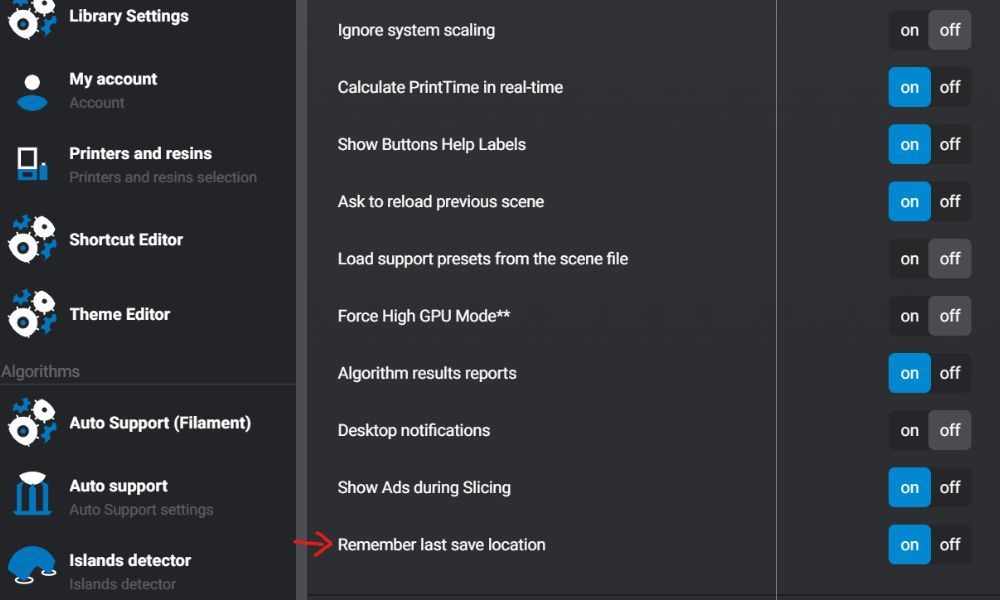
ON: Uses the new system from 7.1.0.
OFF: Reverts to the previous system from 7.0 and earlier.
You can find this setting at the bottom of the Preferences menu, ensuring flexibility for all workflows. This version is clear, user-focused, and easy to understand for changelog readers. Let me know if you’d like any further tweaks!
Previous Behavior (before 7.1) (toggle set to OFF): A single common folder for all actions. Example:
1. I open an STL in C:/Images.
2. When I save my scene, it automatically suggests saving it in C:/Images.
3. If I export my scene in 3D, the suggested path will still be C:/Images.
4. If I export my slices, it will again suggest the folder C:/Images.If I start over with another STL or re-export, the default path will remain C:/Images.
5. If I start over with another STL or re-export, the default path will remain C:/Images.
6. If I open an STL in another folder, such as C:/Projects, this new path becomes the default folder for all actions (save/export).
Remember Last Save Location = ON: Current Behavior (after 7.1) (toggle set to ON): Specific folders are saved for each type of action. Example:
1. I open an STL from C:/Music.
2. I save my scene in C:/Documents.
3. I export my scene in 3D to C:/Download/Benchy.
4. I export my slices to C:/Documents/TestBug.
If I then open an STL from C:/Images instead of C:/Music, the path C:/Images becomes the new default path only for STL imports.
The other folders previously used (save, 3D export, slice export) are not changed and remain the same.
Fixed ⚙️